
How To make music online?
1
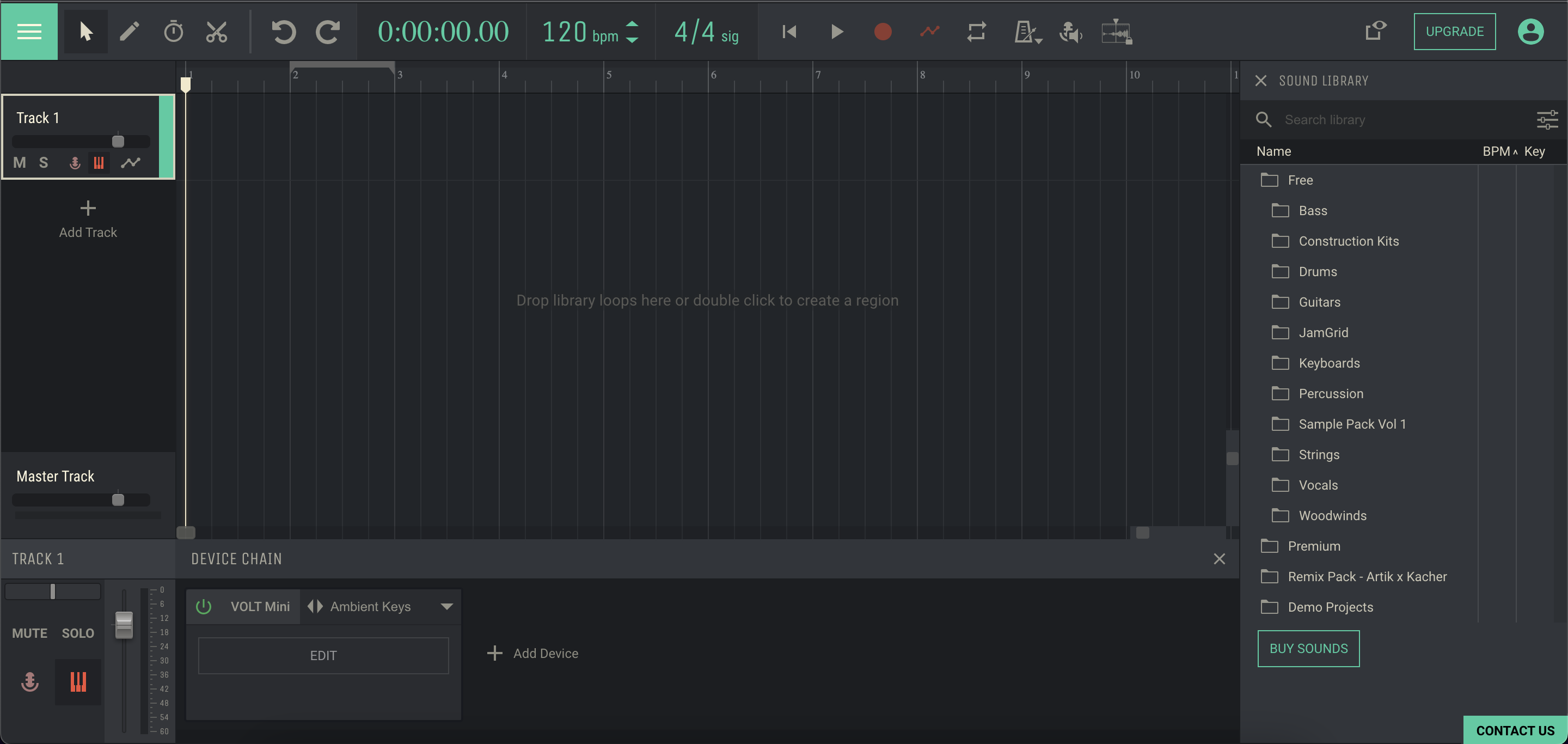
Open Free Online Studio
2
Add a first track
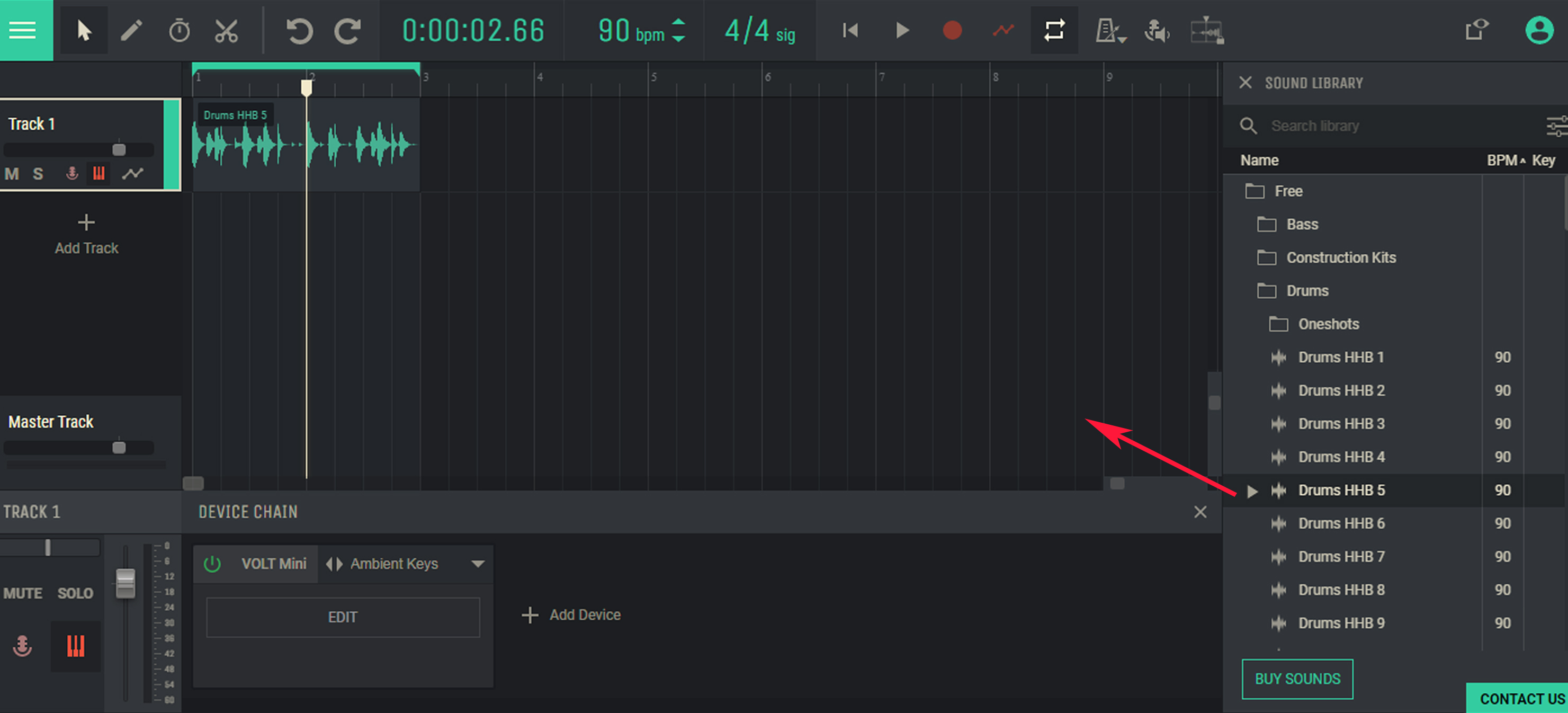
Drag a `Drums loop` from the Free library to a Track 1
3
Replicate samples
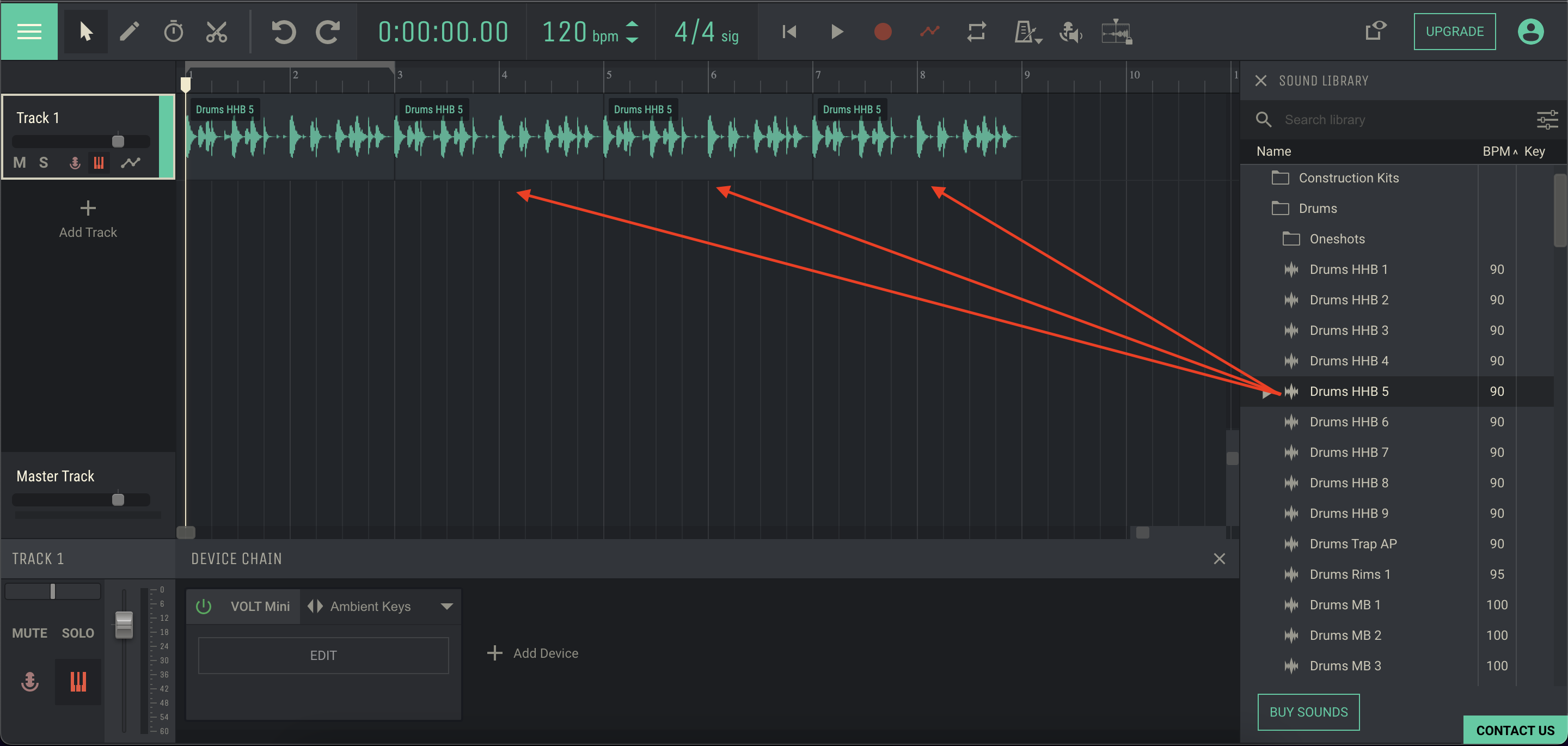
Repeat step 2 three times to get 4 sounds in a row
4
Add second track
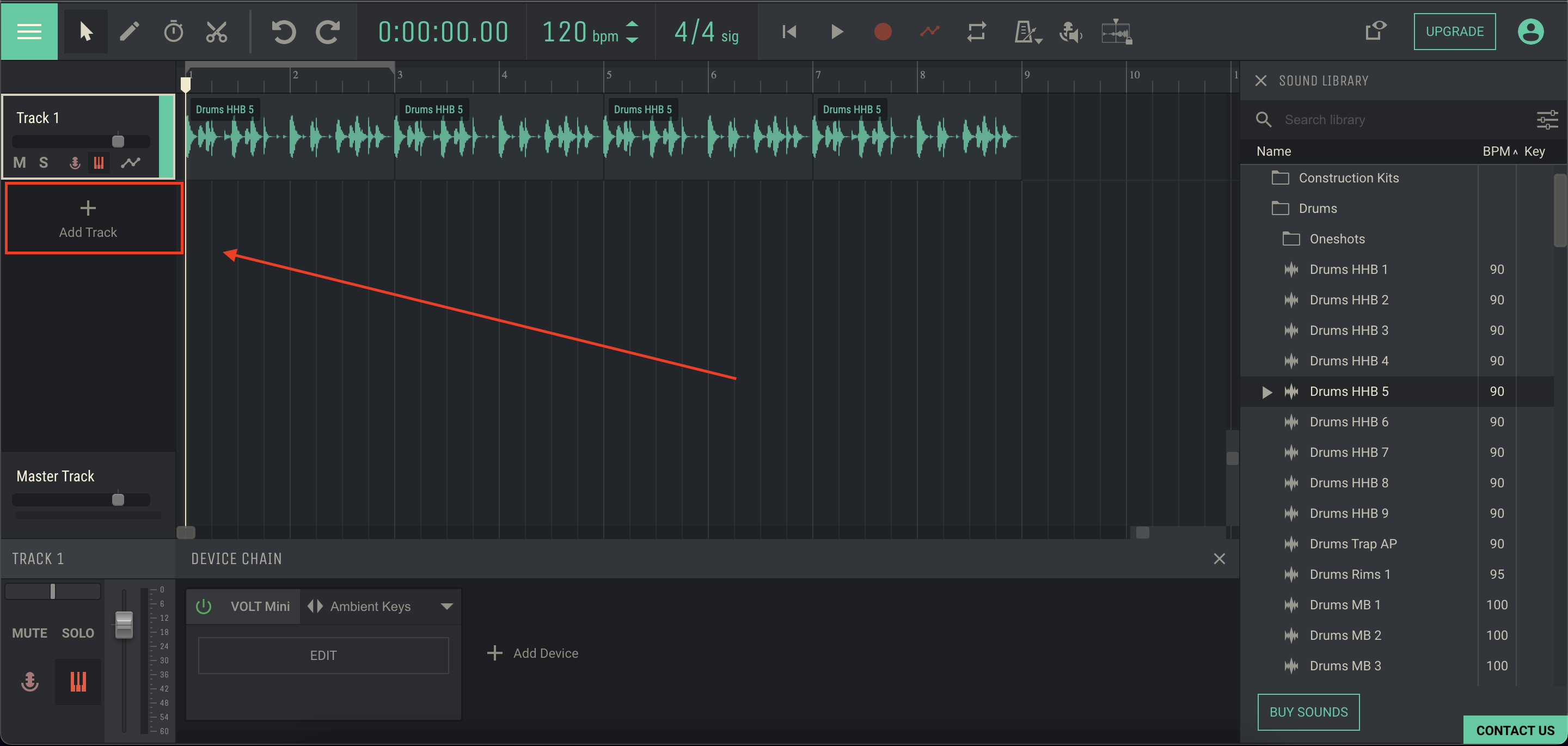
Click `Add Track` to create additional track
5
Insert a melody
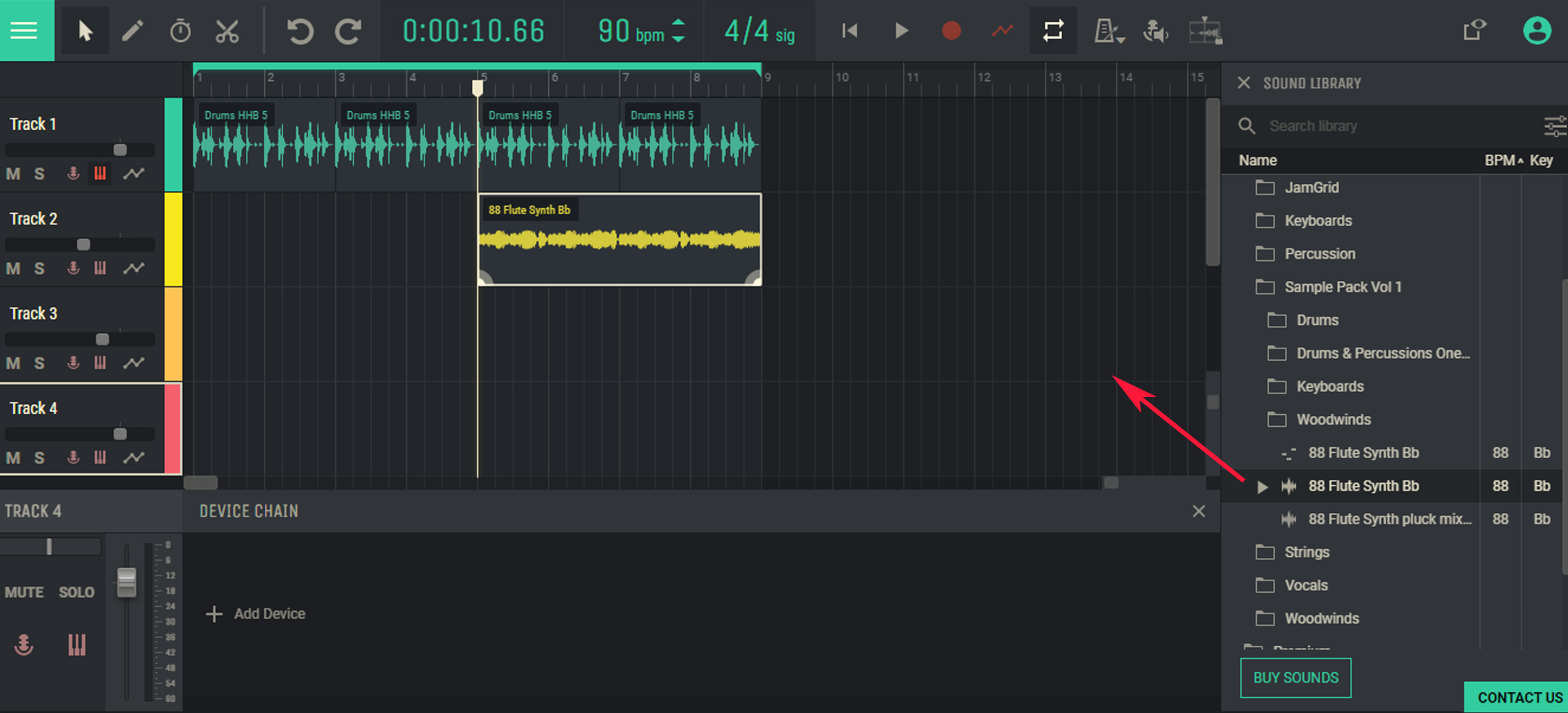
Drag a melodic instrument audio loop picked from free library to a Track 2
6
Mount a BASS
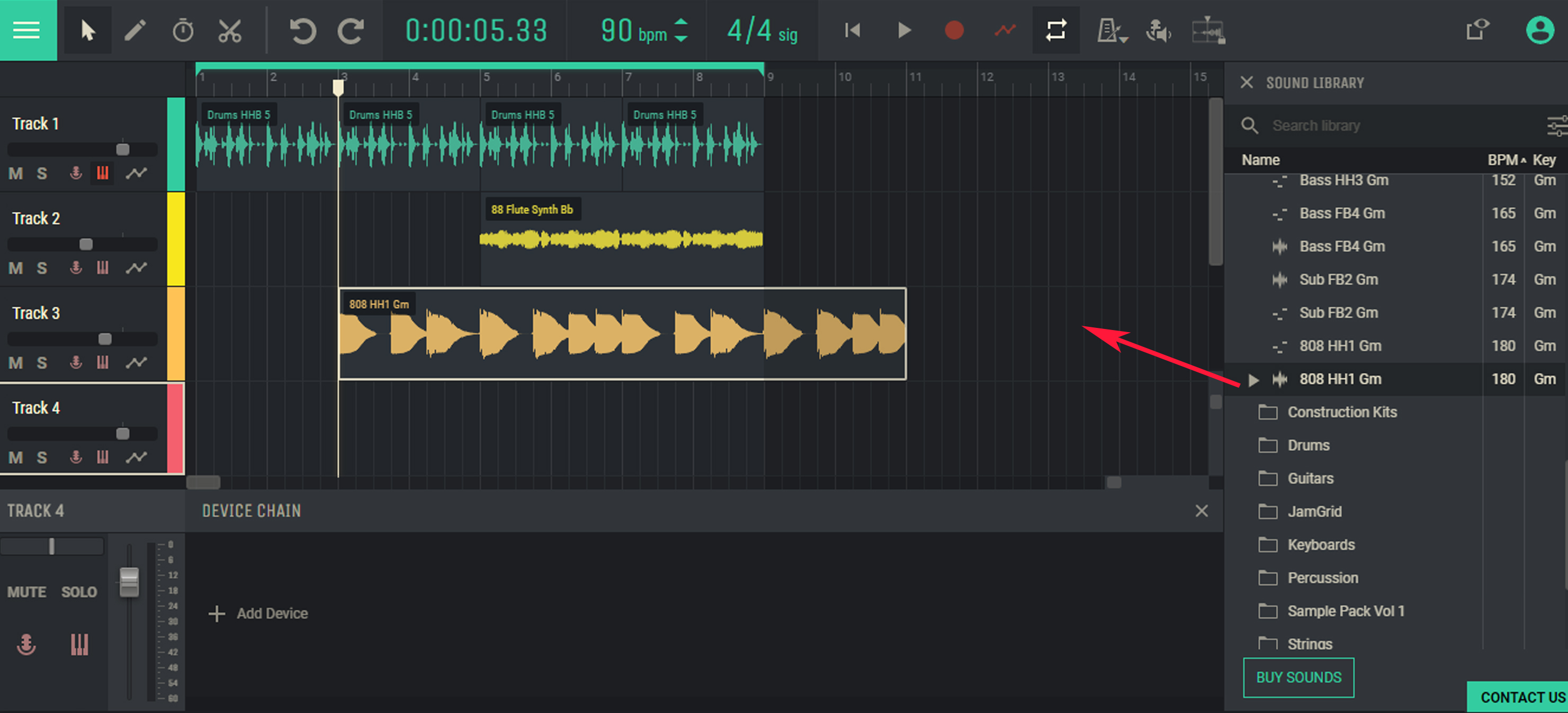
Add one more track and drag `Bass instrument` loop to it
7
Spice with a percussion
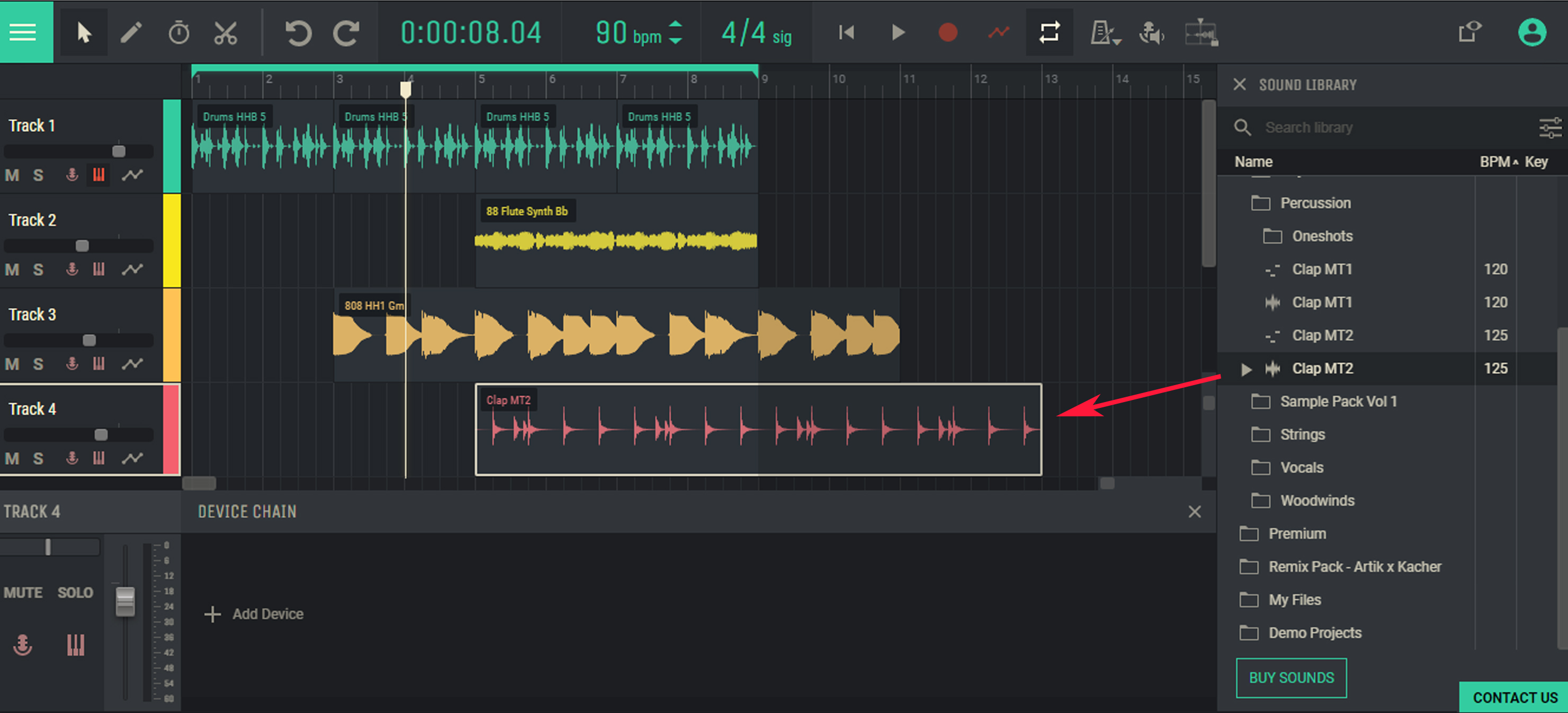
Add one more track and fill in with other percussion instrument
8
Check what you've got
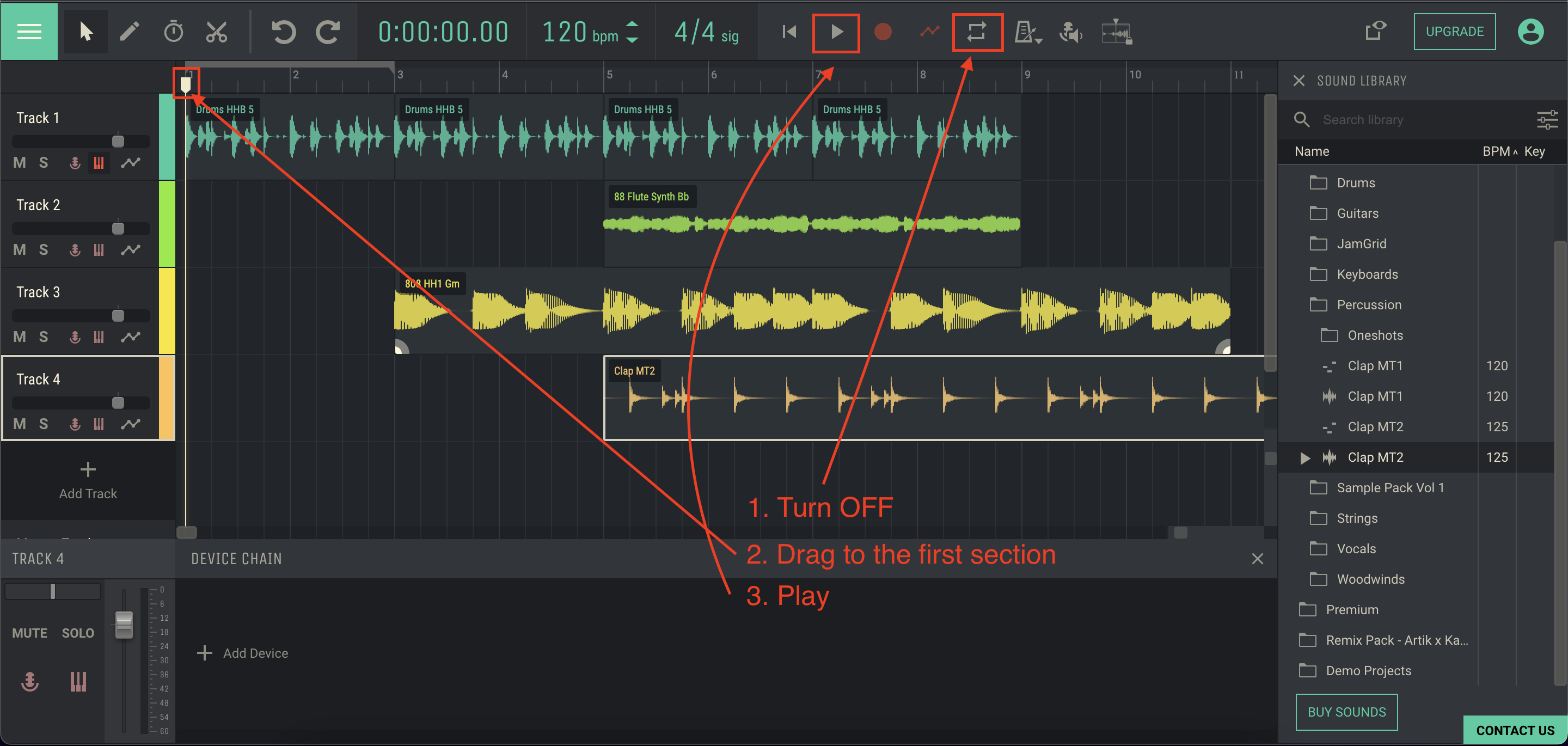
To listen the whole composition make sure the LOOP SELECTION is off
9
Save it!
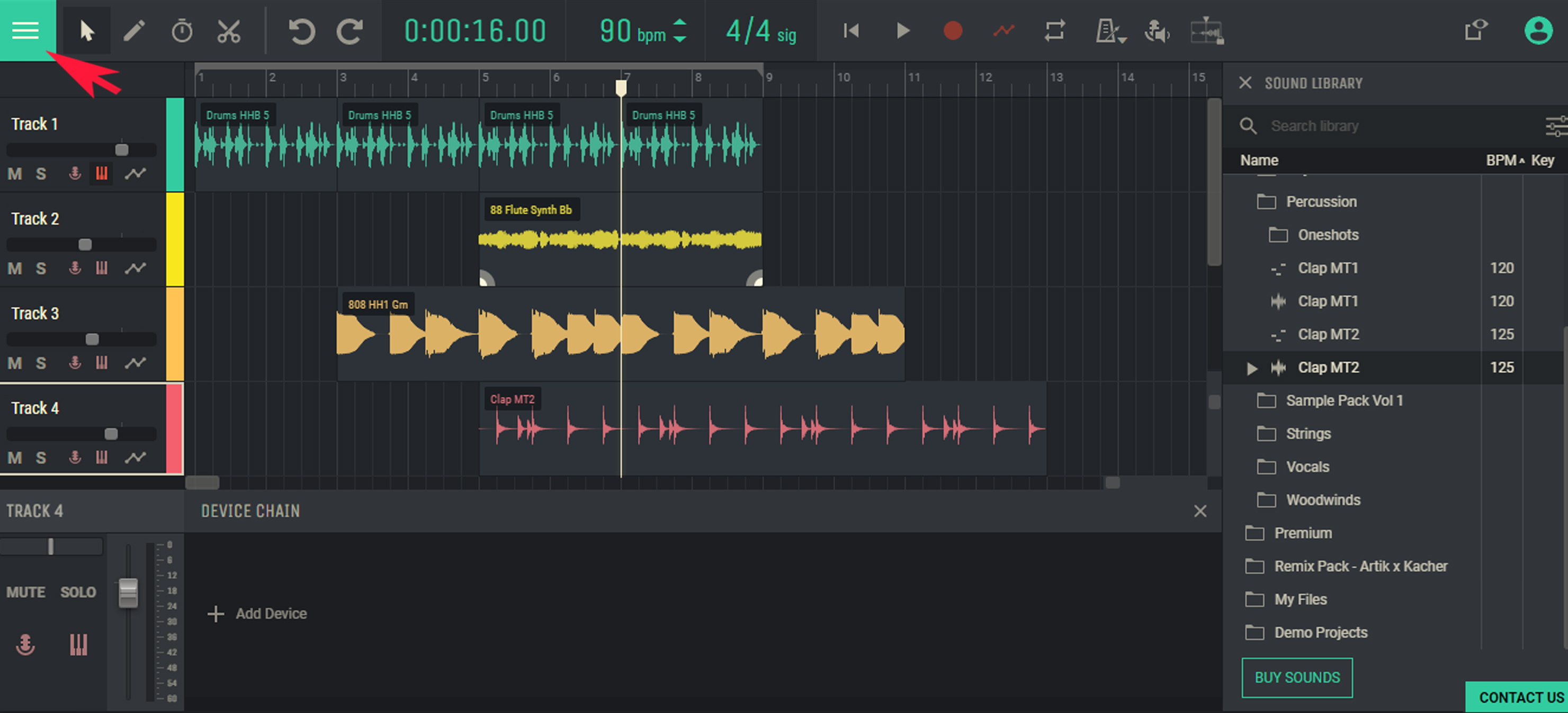
Open left side bar Menu
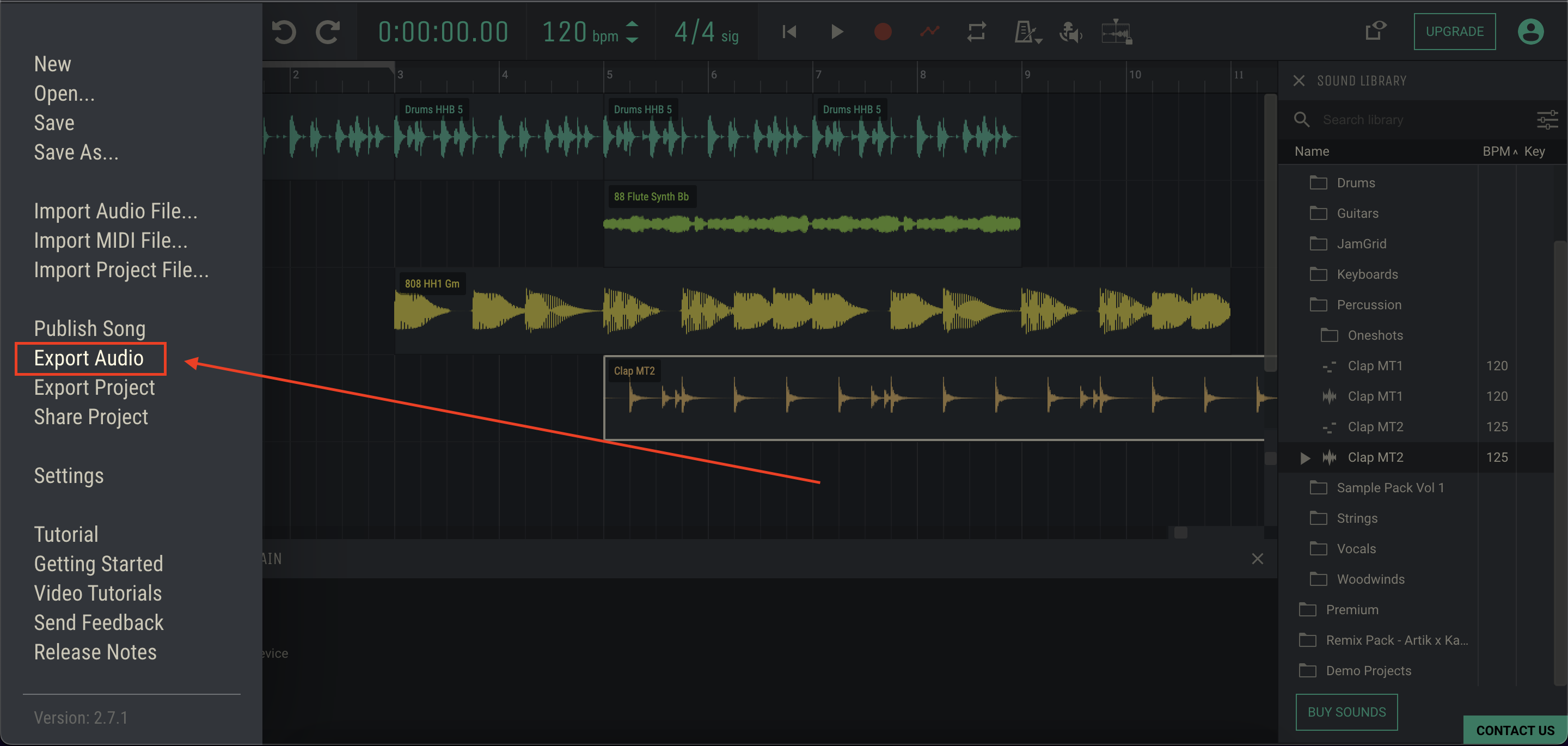
Click Export audio option.
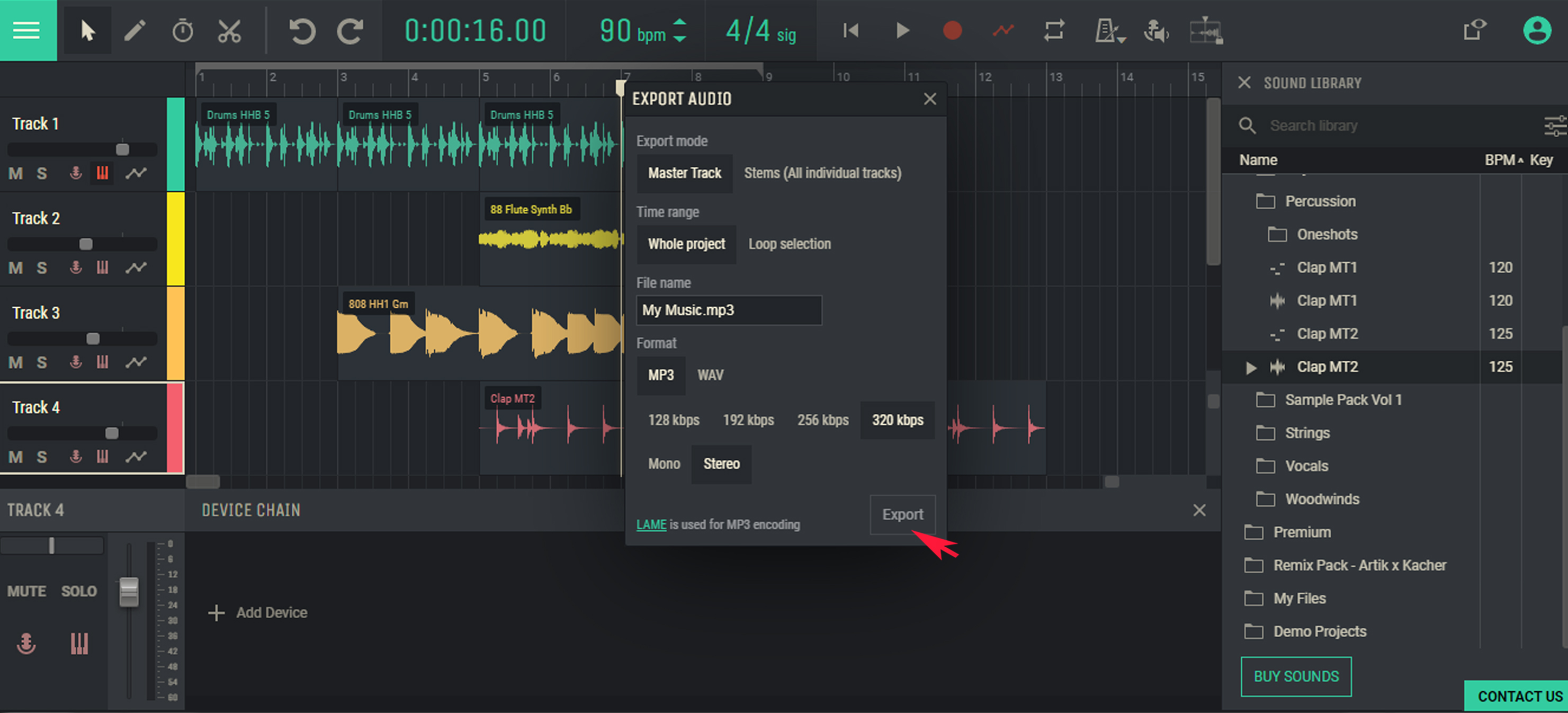
Choose file name and submit export