Online recordingBrowserNo download
Online Recording Studio: Record Your Music in Browser
Amped Studio is a full recording studio that runs in your browser. Record vocals and instruments, track them over a beat, layer them across separate tracks, and mix them into a finished song. No download, no install.
Record
over a beat
Vocals
& instruments
Layer tracks
Mix & export
Record
over a beat
Vocals
& instruments
Layer tracks
Mix & export


A studio, not just a recorder
Record a whole song,
not just one take
An online voice recorder gives you one file. A song recorder built into a full studio gives you the tools to finish a whole track. In Amped Studio you record each part, a vocal, a guitar, a keyboard, onto its own track, then build them into a finished arrangement.
As a music recorder, Amped Studio captures every part. Track your vocal over a beat. Add a guitar part. Play a bass line. Layer the takes, mix them, and export the finished song, all in your browser.
What you can record
Everything a song is made of

Record vocals over a beat
Track your vocal against playback, on a beat or a cappella, and keep it in time with the metronome.

Record real instruments
Plug a guitar, bass, or any input into your interface and record it straight into the project, one track at a time.

Play virtual instruments
No hardware? Play built-in synths and keys with a MIDI keyboard or your computer, and record the part as MIDI.

Layer it across tracks
Build the song from separate tracks, takes, doubles, and parts, each on its own lane to mix independently.

Mix it into a finished song
Balance the parts with EQ, reverb, and compression, then export the finished track as MP3 or WAV.
Home recording
Turn your room into
a recording studio
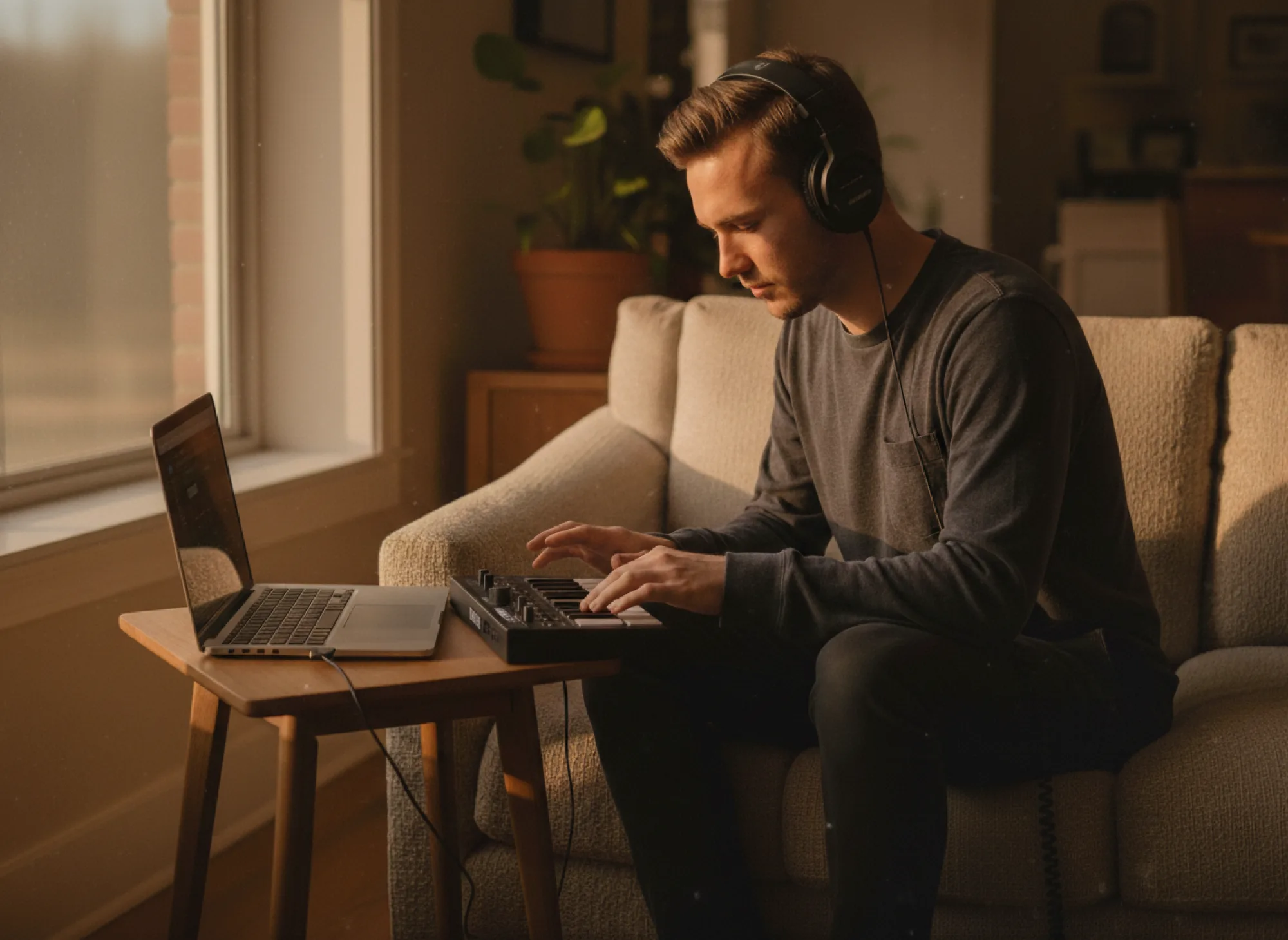
You don’t need an expensive studio to record a song. A laptop, a mic, and a browser are enough to make your own recording at home, track a demo, or capture an idea before it’s gone.
Start with your built-in mic, plug in a USB mic when you want cleaner takes, and record as many passes as you need. New to home recording? Explore how the whole process works, from recording your first take to the final export.

How it works
Record a song in four steps

Step 1
Open Amped Studio
Sign in or register, no download, no install. The studio opens in your browser.

Step 2
Load a beat or start empty
Start with a rhythm loop or turn on the metronome to begin from a blank project.
Step 3
Record your parts
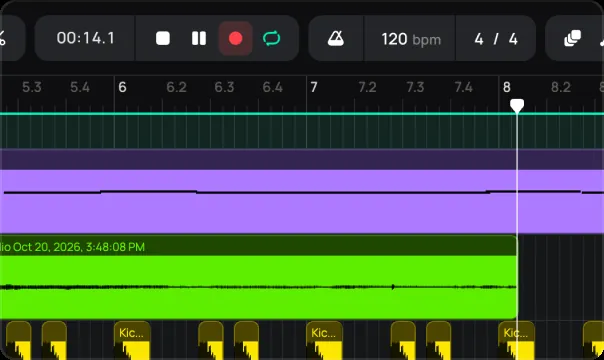
Track vocals and instruments onto separate tracks, one at a time, take by take.
Step 4
Mix and export
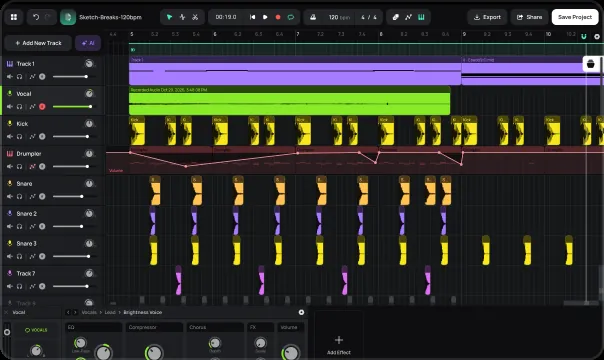
Balance the tracks, add effects, and export your finished song as MP3 or WAV.
Best for
Who it’s for
Songwriters
Record a demo and build the whole song around it
Vocalists
Track your vocals over a beat and layer harmonies across takes
Home musicians
Record guitar, keys, and vocals without a studio
Producers
Capture live parts and mix them into your project
Cover artists
Record your take over an instrumental and finish the track
Pricing
Record free. Upgrade to keep and export more.
Recording is free, track your parts, layer them, and mix in the studio at no cost. Saving a project with its audio, and exporting in WAV, come with a paid plan, so when you want to keep a song and come back to it, that’s where to upgrade.
Studio
FREE
For beginner musicians and composers
 Unlimited projects, 16 tracks5 Instruments, 10 FXs0 GB Storage, Export MP3
Premium
$6.99 / mo
For advanced musicians and composers
 Unlimited: projects, tracksUnlock: 9 Instruments, 21 FXs10 GB Storage, Export WAVVST3 Support
Recommended
Pro
$12.99 / mo
Full studio, plus the newest AI models
Unlimited: projects, tracksUnlock: 9 Instruments, 21 FXs50 GB Storage, Export WAVVST3 SupportFAQ
Just getting started? Get clear answers to start creating music online.
How do I record a song online with a song recorder?
Open Amped Studio in your browser, load a beat or start a blank project, and record your vocals and instruments onto separate tracks. Layer the parts, mix them, and export the finished song. No download needed.
Can I record over a backing track or beat?
Yes. Track your vocal or instrument against playback and stay in time with the metronome, so you can record part by part over your beat.
Can I record vocals and instruments on separate tracks?
Yes. You record one part at a time, each onto its own track, then layer them into a full arrangement. You can record real instruments through an input, or play virtual instruments with a MIDI keyboard.
How do I record a song at home?
All you need is a laptop, a mic, and a browser. Record your parts one by one, mic for vocals, line input for instruments, then edit and mix them into a finished song. That’s home recording, no studio required.
Is it free, and do I need to download anything?
Recording is free and runs entirely in your browser, no download or install. Saving a project with its audio and exporting in WAV come with a paid plan.
Can I mix and export my song?
Yes. Balance your tracks with EQ, reverb, and compression, then export the finished song as MP3, or WAV on a paid plan.
LET’S TRY
Record your
song now.
No Downloads,
Just Your Browser.
A free online DAW that runs in your browser. Produce, record, and mix full tracks in Amped Studio, no download, no install.