Online sequencerBrowser studio
Online Sequencer: Program the Beat, Write the Melody
Place your notes on the grid, loop the pattern, and turn it into a full track. Program drums, write melodies, and build chords in your browser, with built-in synths and your own VST plugins to play them through. No download, no install.
Step grid
MIDI sequencer
Synths & VST
Swing
Chords
Step grid
MIDI sequencer
Synths & VST
Swing
Chords

Two ways in
Program drums, or write melodies
Program your beat. Load a ready-made kit in Drumpler, or drop your favorite one-shot kick, snare, and drum samples into it. Then program the pattern in the Note Editor, placing each hit note by note, exactly where you want it.
Write melodies and chords. Select a virtual synth and write your melody, bassline, or chord part in the Note Editor. Play the notes in from a MIDI controller or the Virtual Keyboard, or click them in with a mouse, then adjust their length and velocity. Building chords? The Chord Creator helps you lay out chord progressions quickly — no musical theory required.


From pattern to full track
Program a pattern, then build it out into a full arrangement
It starts with making a pattern. Set your tempo and loop the clip, then draw your notes in the Note Editor and tweak them while it plays, until it sounds great.
The pattern you start with is already a clip on the timeline of a full online DAW. That is your part A. Duplicate it to build length, write a part B to develop the idea, then layer other instrument parts on top and record vocals over them. Mix and export the finished track, all in the same place.
The basics
What is a music sequencer?
A music sequencer captures your musical ideas and holds them in place on a timeline: what plays, when, and for how long. You place the parts once, it plays them back, and you refine them until they are right without re-recording for that perfect take.
In Amped Studio that happens on two levels. First you sequence at the pattern level: you open a MIDI clip in the Note Editor and place the notes, whether that is a drum part, a bassline, or a chord progression. Then you sequence at the song level: you arrange those clips along the timeline, deciding what comes in when, to build the full track.

The sounds
The instruments that play your sequences
A note pattern is only as good as the sounds that play it. Explore Amped Studio’s instruments that you will use when making patterns.
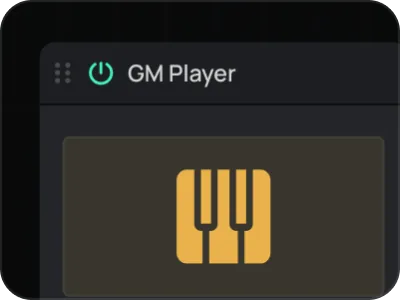
GM Player
Over 150 General MIDI instruments, from pianos and strings to brass and mallets
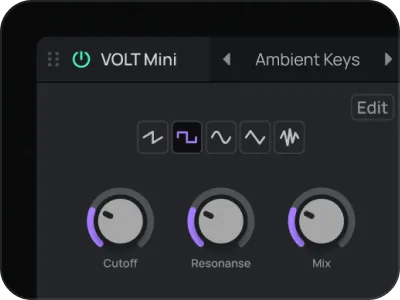
Synths
Play and program Dexed, OBXD, and VOLT Mini, free and built in synths
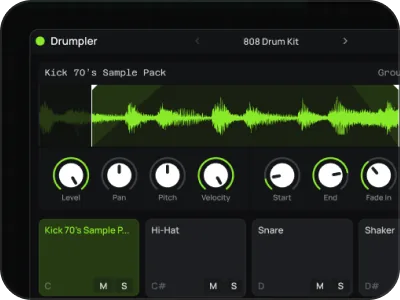
Drumpler
12 pads with preset kits and ready for your own one-shot samples
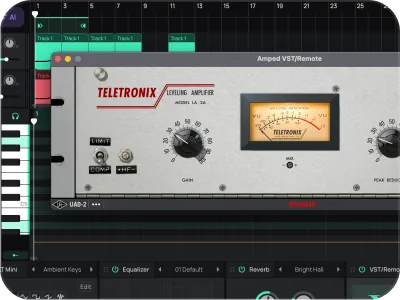
Your VST plugins
Use the VST3 plugins on your computer, right in the browser
Shape the groove
Control the rhythmical feel of your pattern
A good pattern is more than just a sequence of notes in the right place. These controls shape its groove and timing.

Tempo
Set your BPM to lock the tempo of your pattern. Adjust at any time while working on the project.

Grid
Snap your notes to a grid from 1/1 to 1/32, plus triplets, so every note lands exactly where you want it

Swing
Loosen a stiff, straight pattern into something with groove and a human feel

Velocity
Vary how hard each note plays, so the pattern breathes instead of sounding flat

Quantize
Recorded a part live? Pull any notes that landed off the beat back into time
How it works
Sequence a track in four steps

Step 1
Open Amped Studio
Sign in or register, no download, no install. You land in the studio on an open track, ready to go.

Step 2
Add a track and pick an instrument
Add Drumpler for drums, or a synth or GM Player for melodies and chords.

Step 3
Draw your pattern
Place your notes on the grid, loop the clip and adjust until the pattern is just right.

Step 4
Arrange and export
Lay the patterns out on the timeline, build the arrangement, then mix and export the finished track.
Best for
Who it’s for
Beatmakers
Sequence beats — from drum patterns to entire instrumentals
Producers
Sketch a pattern, then arrange it into a full song without switching tools
Songwriters
Capture chord progressions and melodies on the grid to build an idea around
Students & teachers
Learn how a sequence comes together, note by note, with nothing to install
Pricing
Free to sequence. Upgrade for more.
Writing patterns, programming drums, and arranging your track is free. Export your track as an MP3 at no cost. Paid plans add WAV export, more instruments and effects, and VST support.
Studio
FREE
For beginner musicians and composers
 Unlimited projects, 16 tracks5 Instruments, 10 FXs0 GB Storage, Export MP3
Premium
$6.99 / mo
For advanced musicians and composers
 Unlimited: projects, tracksUnlock: 9 Instruments, 21 FXs10 GB Storage, Export WAVVST3 Support
Recommended
Pro
$12.99 / mo
Full studio, plus the newest AI models
Unlimited: projects, tracksUnlock: 9 Instruments, 21 FXs50 GB Storage, Export WAVVST3 SupportFAQ
Just getting started? Get clear answers to start creating music online.
What is an online sequencer?
An online sequencer is a browser tool for arranging notes and beats in time. You place notes on a grid, loop the pattern, and the sequencer plays it back. In Amped Studio you can program drum patterns, write melodies and chord progressions in the Note Editor, then arrange the MIDI clips into a full track. No download needed.
What's the difference between a step sequencer and a MIDI sequencer?
A step sequencer is traditionally used to program patterns on drum machines, while a MIDI sequencer handles any instrument to capture and refine melodies, basslines, and chords alike. In Amped Studio both happen in the Note Editor, where you sequence notes that all types of instruments play.
Which instruments can I sequence?
All of them. In an online MIDI sequencer like Amped Studio you can sequence all the MIDI parts played by the built-in Dexed, OBXD, and VOLT synths, as well as GM Player with over 150 General MIDI sounds, drum kits in Drumpler, and even third-party VST3 plugins.
Can I add swing to my pattern?
Yes. Swing adds groove to a pattern by nudging every offbeat. This can help emulate the loose feel of a live drummer, but is also a staple feature of many electronic genres such as Funk, Hip Hop, Garage and House.
Is the online sequencer free, and do I need to download anything?
Sequencing is free in Amped Studio and runs entirely in your browser, no download or install needed.
Can I turn my pattern into a full song?
Yes. Your pattern is a clip on the timeline, so you can duplicate it, make a variation of it, write patterns of other instruments to layer it with, and arrange basslines, chords, and vocals around it, then mix and export the whole track in the same browser tab.
Let’s try
Start sequencing now.
No Downloads,
Just Your Browser.
A free online DAW that runs in your browser. Produce, record, and mix full tracks in Amped Studio, no download, no install.